Download and Install the Onboard app
For this quest, you're required to; Download an install the Onboard Wallet app, then upload a screenshot to verify.
Download App
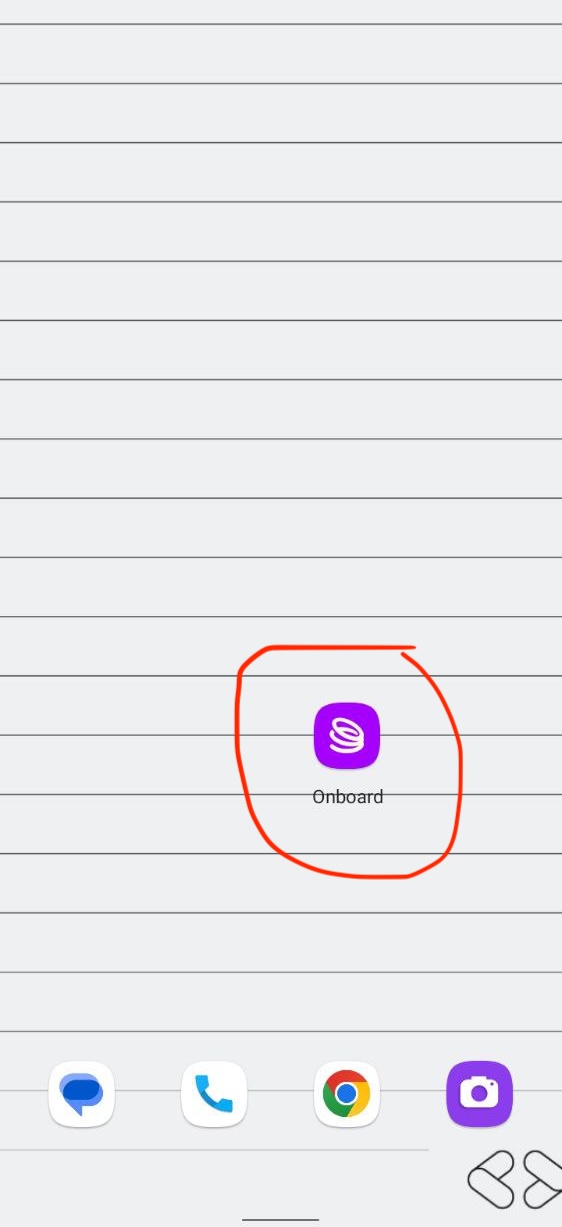
Task: Download Onboard and show it on your home screen!
How to Complete This Quest
Download the app
- For iOS: Download from the Apple App Store: https://go.onboard.xyz/T1lo/propel
- For Android: Download from Google Play Store: https://go.onboard.xyz/T1lo/propel
Install the app
- Complete the installation process and ensure the app appears on your device.
Submit screenshot proof
- Take a screenshot of your phone's home screen showing Onboard installed.
- The app icon and the app's full name below the icon must be clearly visible on your home screen.
- Upload this screenshot as proof of completion.
Important notes:
- The app must be visible on your home screen, not just downloaded.
- Make sure the app name/icon is clearly readable in your screenshot.
- Example screenshot proof accepted: