
Sign Up on Onboard & Submit KYC for review
Submit Screenshot Proof
Complete this quest with the following steps
- Download and Install the app
- Add this referral code when you sign up : Referral code: PROPEL1K
- Complete your KYC and submit for review
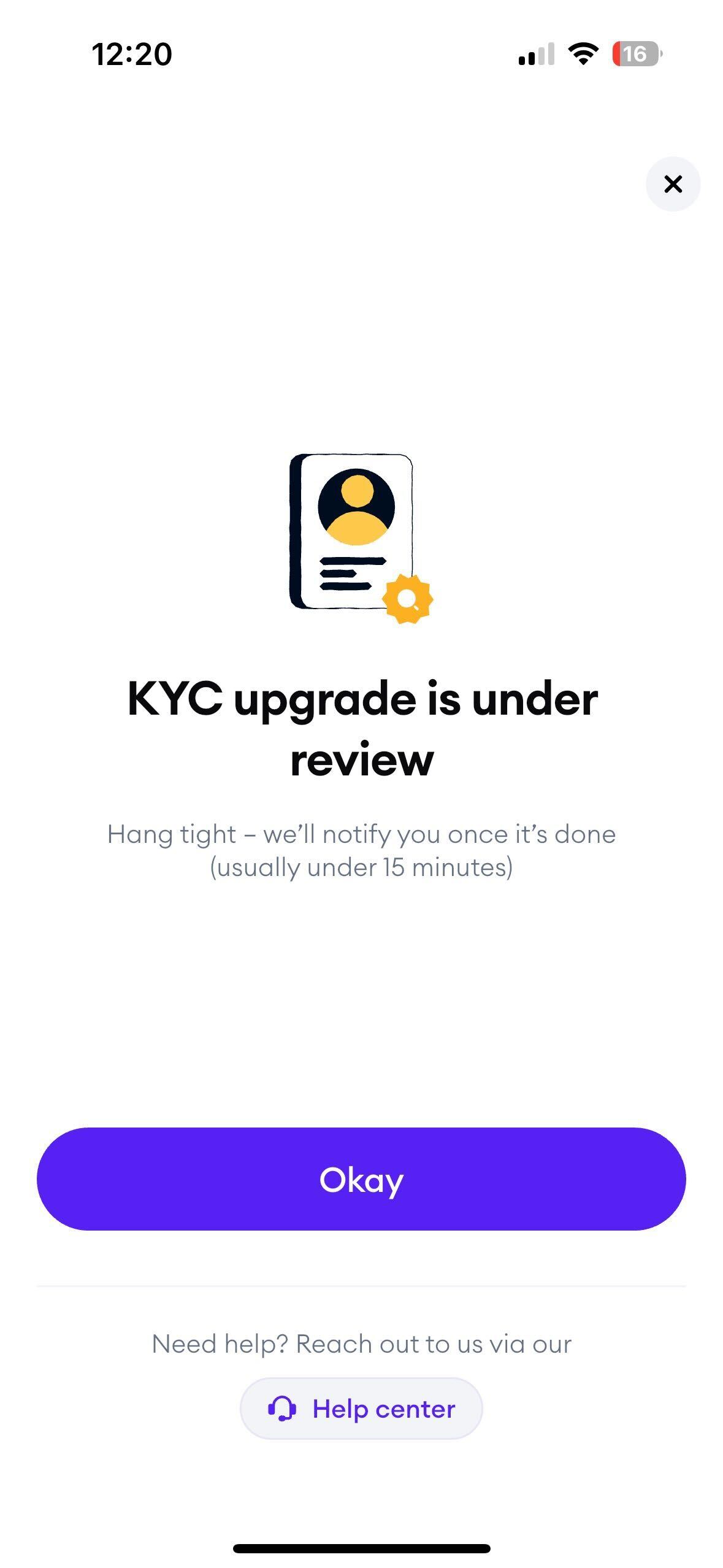
- Upload a screenshot of your KYC under review
Take a screenshot
- Capture a clear screenshot showing proof of completion.
- Ensure all relevant details are visible and legible.
Submit your proof
- Upload your screenshot as proof of completion.
- Make sure your screenshot matches the example format shown below.
Example screenshot proof accepted:
Important notes:
- Blurry, cropped, or incomplete screenshots may be rejected.
- Follow the example format to ensure your submission is accepted.